Brief annotation
About the document
Step-by-step instructions for registering two users in the test system FATUM, sending and accepting an invitation and switching to the game page.
PDF-document
FATUM web edition 2025.pdf
Page — from —
Width
Downloading the document...
Text web versionRecognised text of document · 1 min read+
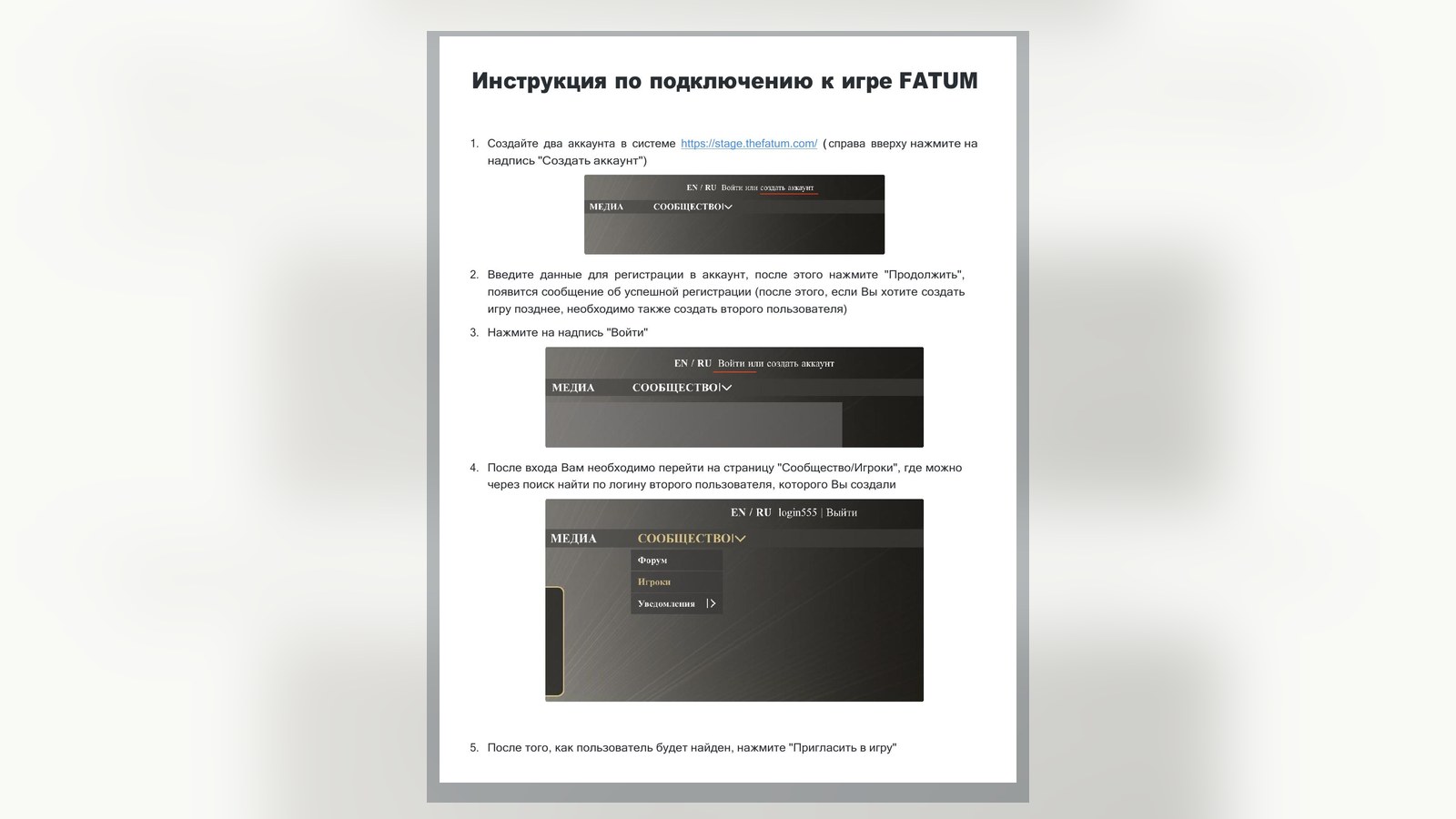
- 1. Create two accounts in the system https://stage.thefatum.com/ ( right at the top click on
"Create an account"
- 2. Enter the registration data in the account, then click "Continue",
a successful registration message will appear (after that, if you want to create a game later, you also need to create a second user)
- 3. Click on "Enter"
- 4. After logging in, you need to go to the Community/Players page, where you can
search for the login of the second user you created
- 5. After the user is found, click "Invite to the game"
- 6. The second user must go to the "Community/Notifications/
New invitations: 1"
- 7. Choose the invitation you receive and accept it (the one who accepted the invitation,
will automatically go to the game page)
- 8. The second player needs to go to page https://stage.thefatum.com/play
Source materials
Originals and versions of the document
- FATUM web edition 2025.pdfPDF · main document